
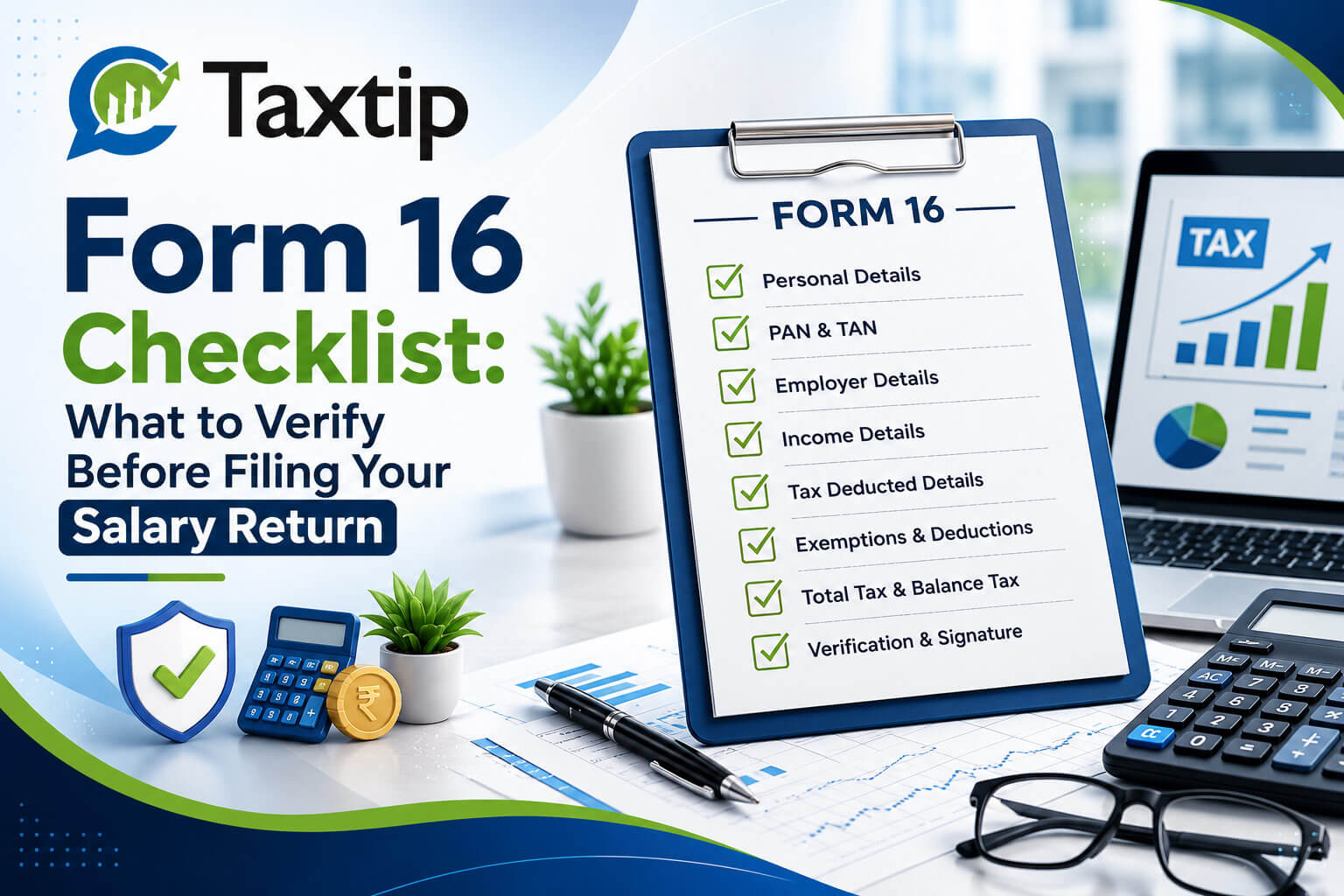
Your Form 16 for FY 2025-26 should already be with you. Here’s exactly what to check in it — and against Form 26AS and AIS — before you file, with the 31 July 2026 deadline three weeks away.
Where You Should Be Right Now
Employers were required to issue Form 16 for FY 2025-26 by 15 June 2026. If you’re reading this in July, your certificate should already be in hand — which means it’s time to verify it thoroughly, not just glance at the final tax figure and move on. Errors in Form 16 are one of the most common reasons salaried returns get flagged for defective-return notices or 143(1) intimations later in the year.
Form 16: Part A vs Part B
Form 16 is a TDS certificate issued under Section 203 of the Income Tax Act, 1961, certifying salary paid and tax deducted under Section 192. It has two distinct parts that come from different sources and must be verified separately.
Part A — TRACES-generated
- Downloaded by the employer from the TRACES portal — the government-verified half
- Carries a unique certificate number; a manually typed Part A has no validity
- Employer’s PAN and TAN, your PAN, period of employment
- Quarter-wise summary of TDS deducted and deposited
Part B — Employer-prepared
- Detailed annexure prepared directly by the employer’s payroll team
- Gross salary, allowances, perquisites, and exempt allowances under Section 10
- Standard deduction, Chapter VI-A deductions, and the tax regime used for computation
- Final tax computation and net tax payable/deducted
Both parts must be issued together as one complete certificate — a Part B without a valid TRACES Part A is not a proper Form 16.
Checklist — Part A
Checklist — Part B
Cross-Verify Against 26AS, AIS & TIS
Form 16 is only the employer’s version of events. The Income Tax Department’s own records — Form 26AS (the consolidated tax credit statement) and the Annual Information Statement (AIS) with its Taxpayer Information Summary (TIS) — are what actually determines your TDS credit and pre-fills your return. All three must agree before you file.
Form 16 vs Form 26AS
Confirm the total TDS in Form 16 Part A matches the TDS credited against your PAN in Form 26AS. A mismatch usually means the employer’s TDS return (Form 24Q) has an error or is unfiled for a quarter.
Form 16 vs AIS
AIS pulls data from multiple sources beyond salary — interest, dividends, securities transactions. Verify your gross salary in AIS lines up with Part B, and check whether any other reported income needs to go into your return.
TIS summary
TIS gives a processed, category-wise summary that the return utility often pre-fills from. Treat any pre-filled figure as a starting point to verify, not a final answer.
Do not file on Form 16 figures alone
The TDS credit you can actually claim is what’s reflected in Form 26AS/AIS against your PAN — not merely what Form 16 states. If they disagree, the return should be filed on the correct, reconciled figures, and the discrepancy pursued with the employer separately.
Common Mismatches & How to Fix Them
| Mismatch | Likely Cause | What to Do |
|---|---|---|
| TDS in Form 16 not visible in 26AS/AIS | Employer’s Form 24Q for that quarter is unfiled, delayed, or rejected | Ask employer to file/correct the TDS return; credit will reflect only after processing |
| PAN error in Part A | Incorrect PAN entered in Form 24Q | Request a correction (revised) TDS return from the employer citing the correct PAN |
| Gross salary differs from payslip total | Perquisites, bonus timing, or arrears not correctly captured | Request a revised Part B after reconciliation with payroll records |
| Chapter VI-A deduction missing or understated | Investment proof submitted after the payroll cut-off | Claim the correct amount directly in the ITR — deductions aren’t restricted to what Form 16 shows, provided you have valid proof |
| HRA exemption missing though old regime intended | TDS was computed on new-regime basis by default | Claim HRA directly in the ITR under the old regime; Form 16 need not be corrected for this, as regime choice is finalised at filing |
Didn’t Receive Form 16?
If your employer has missed the June 15 deadline
- The employer faces a penalty of ₹100 per day per certificate under Section 272A(2)(g), capped at the tax deductible for that employee.
- Follow up formally with payroll/HR in writing, citing the statutory deadline.
- You are not required to wait indefinitely — a return can be filed using salary slips, Form 26AS, and AIS to reconstruct income and TDS details, provided the figures can be substantiated.
- Note: an employer is legally required to issue Form 16 only where TDS was actually deducted. If no tax was deducted from your salary, there is no statutory obligation to issue it, though many employers do so as good practice.
Changed Jobs During FY 2025-26?
Collect Form 16 from every employer
Each employer issues a separate Form 16 covering only the period you worked with them. All certificates for the year must be collected before filing.
Check whether you declared your previous employer’s income to the new employer
If you furnished Form 12B (previous salary details) to your new employer, their Form 16 may already reflect combined income and TDS. If not, both incomes must be aggregated manually in the return.
Watch for double-counted standard deduction or duplicated exemptions
If income wasn’t declared between employers, each may have independently applied a full standard deduction and slab benefit — this needs correcting at the time of filing to avoid understated tax liability.
Reconcile combined TDS against 26AS/AIS
Add TDS from all Form 16s issued during the year and confirm the total agrees with what’s reflected in Form 26AS/AIS before claiming credit in the return.
Common Questions
Can I file my return if I only have salary slips and no Form 16?
Yes. Form 16 is a convenience document, not a mandatory prerequisite for filing. Salary slips, Form 26AS, and AIS together are sufficient to reconstruct your income and claim the correct TDS credit.
Is Form 16 the same as Form 26AS?
No. Form 16 is the employer’s certificate for salary TDS specifically. Form 26AS (now integrated with AIS) is the government’s consolidated statement covering TDS/TCS from all sources against your PAN, not just salary.
My Form 16 shows the old regime, but I want to file under the new regime. Is that a problem?
No. The regime used for TDS computation during the year is not binding on your final return. You can choose either regime at the time of filing, and any resulting difference in tax is settled through self-assessment tax or a refund.
What if I find an error after I’ve already filed my return based on Form 16?
A revised return under Section 139(5) can be filed for AY 2026-27 up to 31 March 2027 to correct figures once the discrepancy is resolved with the employer.
Is Form 16 being renamed this year?
Under the Income Tax Act, 2025, the salary TDS certificate is renamed Form 130, but this applies only from Tax Year 2026-27 (income earned from 1 April 2026) onward. For FY 2025-26, the certificate you receive is still Form 16, issued under the Income Tax Act, 1961.