
×

Articles

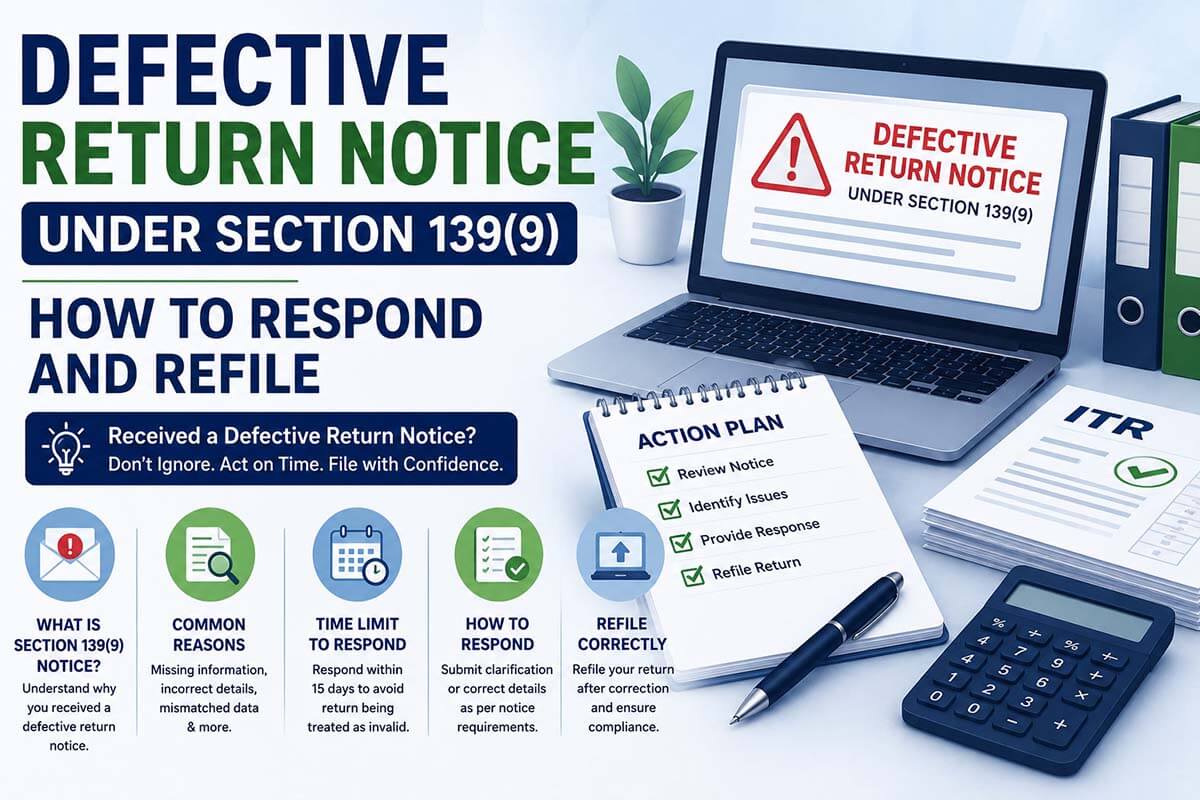
Received an email or SMS about a defective return? You have 15 days. This guide explains every defect, both response options, the exact portal steps, and what happens if you miss the deadline.
TT

TaxTip Editorial — Reviewed by a Senior CA, FCA (23+ years in practice)

This guide covers Section 139(9) of the Income Tax Act, 1961 as applicable for AY 2026-27 returns. Portal steps are based on the current incometax.gov.in e-Proceedings interface. All consequences and timelines are as per official CBDT FAQs and Income Tax Act provisions.

You have 15 days from the date of the notice

A defective return notice is not a tax demand — it is a correction opportunity. Act within the deadline and your original return date is preserved. Ignore it and your return is treated as if it was never filed.

What is a Defective Return Notice Under Section 139(9)?

A defective return notice under Section 139(9) of the Income Tax Act, 1961 is issued by the Centralised Processing Centre (CPC) when your filed Income Tax Return contains an error, omission, or inconsistency that prevents the department from processing it accurately.

To be clear about what this notice is — and what it is not:

What Section 139(9) IS

  • A correction notice — the department has received your return but found it technically incomplete
  • An opportunity to fix errors before they become adverse assessments
  • A notice that gives you 15 days to correct and resubmit — no penalty for the defect itself
  • Issued by the automated CPC system, not a human Assessing Officer
  • Fully resolvable online through the IT portal’s e-Proceedings section
🚫

What Section 139(9) is NOT

  • Not a tax demand — no additional tax is being claimed at this stage
  • Not a scrutiny notice (Section 143(2)) — that is a separate, more serious proceeding
  • Not a penalty notice — no penalty is levied merely for a defect
  • Not safe to ignore — ignoring it has the same consequences as never filing your return
15 daysStandard window to respond from notice date
₹0Penalty for the defect itself — if you respond in time
2 optionsAgree with defect or disagree — both handled online
PreservedOriginal filing date maintained when you respond

How you receive the notice

The department sends the defective return notice via email to your registered email address, and via SMS to your registered mobile number. The notice is also visible inside the e-filing portal under Pending Actions → e-Proceedings → For Your Action. The notice contains a specific defect description and often an error code identifying the exact issue found in your return.

Common Defects — Find Yours and Know the Fix

Search your error description or defect code below. Every card shows the defect, why it happens, and exactly how to fix it.

🔍

Showing all 14 common defects. Type above to filter.

📋
Wrong ITR form selected

Common trigger

You filed ITR-1 but have business income, capital gains, or foreign assets that require ITR-2 or ITR-3. Or you filed ITR-2 but have F&O trading income that mandates ITR-3. Using the wrong form is one of the most frequent defect triggers for AY 2026-27.
✅ Fix: Refile using the correct form. For AY 2026-27, ITR-1 now allows 2 house properties and LTCG up to ₹1.25L — but still cannot accommodate business income, STCG, crypto, or NRI status.
💸
TDS credit claimed, income not reported

Most common defect

You claimed TDS as a credit (e.g. 10% TDS on FD interest shown in Form 26AS) but did not declare the corresponding income in your ITR. The CPC system matches TDS credits against reported income — if no income appears against a TDS entry, it triggers a defect.
✅ Fix: Report the income for every TDS entry in your Form 26AS. FD interest, professional fees, rent received — if TDS was deducted, the income must appear in your ITR. Add the missing income and recalculate your tax.
📊
AIS / 26AS income exceeds ITR income

Rising in 2026

The total income or gross receipts shown in your AIS or Form 26AS is materially higher than what you declared in the ITR. This happens when freelancers, consultants, or businesses under-report income — or when AIS contains incorrect entries from third-party SFT reporting.
✅ Fix: Compare your AIS with your ITR line by line. If AIS is correct and income was under-reported, add the missing income. If AIS entries are incorrect (duplicate, wrong year, joint account), use AIS feedback to dispute, then refile with correct figures.
🏢
Balance sheet and P&L not filled in ITR-3

Codes 202 / 203

You have income under “Profits and gains of business or profession” (ITR-3) but left the Balance Sheet and Profit & Loss Account sections blank or incomplete. These schedules are mandatory for all non-presumptive business returns.
✅ Fix: Prepare your Balance Sheet (assets and liabilities) and P&L (income and expenditure) for the financial year and fill them into the relevant ITR-3 schedules. Engage a CA if your books are not in order.
🔎
Tax audit report not attached / incomplete

Audit cases

Your accounts were audited under Section 44AB but the audit report (Form 3CA/3CB) and Form 3CD were not filed before or simultaneously with the ITR, or were filed with missing details that the CPC system cannot validate.
✅ Fix: Ensure your CA uploads the complete tax audit report on the portal under “e-File → Income Tax Forms → Form 3CA-3CD” before filing or responding. The ITR must then reference the audit report’s acknowledgement number.
💼
Presumptive income computation incorrect

ITR-3 / ITR-4

You opted for presumptive taxation under Section 44AD or 44ADA but declared income below the prescribed percentage (8%/6% for 44AD, 50% for 44ADA), or the gross receipts computation is inconsistent with Form 26AS/AIS, or you entered the wrong schedule section.
✅ Fix: Verify gross receipts match AIS. If declaring below the presumptive rate, you must file ITR-3 (not ITR-4) and maintain books. Correct the computation and refile with the accurate income figures and correct form.
✍️
Return filed but not verified

Code 31

You submitted your ITR but did not complete e-verification within 30 days of filing. An unverified return is treated as invalid — similar to a defective return. The department will not process refunds for unverified returns.
✅ Fix: e-Verify your return immediately using Aadhaar OTP, net banking EVC, demat account EVC, or by sending a signed ITR-V to the CPC Bengaluru address within 30 days. Do not refile — just verify the existing submission.
💳
Tax declared but not fully paid

Payment mismatch

Your ITR shows a tax liability, but the total tax paid (TDS credits + advance tax + self-assessment tax) is less than the liability declared. The challan details entered are incorrect, or the self-assessment tax payment was made after the return was filed and not updated.
✅ Fix: Pay the shortfall as self-assessment tax via the IT portal using Challan 280. Note the BSR code, date, and serial number. Update the payment details in your corrected ITR when responding to the notice.
🔢
Incorrect or missing challan details

Payment schedule

The BSR code of the bank, serial number, or date of the tax payment challan entered in the ITR does not match the actual payment made. A single digit error in BSR code or serial number causes the CPC to reject the TDS/advance tax credit.
✅ Fix: Cross-check challan details with your bank statement or the NSDL Challan Status Inquiry portal. Correct the BSR code, serial number, and date in the defect response.
👤
Name does not match PAN database

Personal info

The name entered in your ITR does not exactly match the name registered in the CBDT’s PAN database. This includes spelling variations, initials placement, or name changes after marriage that are not updated in the PAN database.
✅ Fix: Use the name exactly as it appears in your PAN card. If your legal name has changed, update PAN records first (via NSDL/UTI portal), then refile with the corrected name.
📈
Schedule CG or 112A not properly filled

Capital gains

You have equity or mutual fund transactions visible in AIS but Schedule CG is blank, or Schedule 112A is missing scrip-wise details. The system cannot reconcile declared capital gains with ITR form requirements.
✅ Fix: Download your Capital Gains Statement from your broker/CAMS/KFintech. Fill Schedule CG with asset-wise details. Complete Schedule 112A with ISIN, units, cost, and FMV (31 Jan 2018 for pre-2018 holdings) for each equity/MF transaction.
🎁
Schedule VI-A or 80G details incomplete

Deductions

Deductions claimed under Section 80G (donations), 80C (investments), or other Chapter VI-A provisions are missing supporting details — donation receipts, ARN numbers, or investment details — or the deduction sub-section was not specified (mandatory from AY 2026-27).
✅ Fix: From AY 2026-27, deductions must be selected from a dropdown menu with the exact clause specified. Add the missing details — Section 80G requires the donation ARN/receipt number and donee entity name. 80C requires investment type and amount.
🌏
Schedule FA (foreign assets) not completed

NRI / foreign

You are required to file Schedule FA (foreign assets and income from outside India) but left it blank, or the details of foreign bank accounts, overseas property, or foreign investments are missing or inconsistent with AEOI/CRS data the department has received.
✅ Fix: Disclose all foreign assets including bank accounts, property, investments, and interests in entities held outside India at any time during the financial year. Non-disclosure can attract penalty under the Black Money Act. Use ITR-2 or ITR-3 (Schedule FA is not in ITR-1 or ITR-4).
🏦
Bank account details incorrect or not pre-validated

Refund account

The bank account entered for refund credit is not pre-validated on the IT portal, has an incorrect IFSC code, account number, or is a closed/dormant account. Without a valid, pre-validated account, refunds cannot be processed.
✅ Fix: Log in to the IT portal → Profile → My Bank Account. Pre-validate your active savings/current account by entering the IFSC and account number and completing OTP verification. Then update the account in your corrected ITR response.

Where to Find the Notice on the Portal

Do not wait for a letter or email. Always check your IT portal inbox proactively after filing your ITR, especially if you receive an SMS alert. The notice is available at:

🖥️

Finding your 139(9) notice on incometax.gov.in

  • Log in at incometax.gov.in using your PAN and password
  • From the Dashboard, go to Pending Actions → e-Proceedings
  • Click on “For Your Action” tab
  • Select “View Notices” — your 139(9) notice will appear here with the assessment year, date of issue, and defect details
  • Click on the notice to read the full text and see the defect code
  • The notice also appears under e-File → Income Tax Returns → View Filed Returns — look for the return with status “Defective”

The notice will clearly state: the assessment year, the original return filing date, a description of the defect(s) found, and the deadline for response (usually 15 days from the notice date). Read it carefully — you need to address every defect listed, not just one.

Two Response Options: Agree or Disagree

When responding to a Section 139(9) notice on the portal, you are given two paths. Choosing the right one depends on whether the defect identified by the CPC is actually valid.

✅ Option 1 — Agree with the defect

  • Use this when the defect described is correct — you made an error
  • You will be directed to a correction interface where you can fix the specific defect online, or upload a corrected JSON file
  • After correction, submit the updated return — it is treated as your response to the notice
  • The filing date is preserved as the original date (e.g. 15 July 2026) — not the correction date
  • If additional tax is due after correction, pay it as self-assessment tax first, then submit
  • Most taxpayers should use this path

⚠️ Option 2 — Disagree with the defect

  • Use this only if the defect described is genuinely incorrect — the CPC made an error in identifying the defect
  • You must provide a written explanation of why the notice is incorrect
  • Once submitted, the response cannot be updated or withdrawn — choose carefully
  • If the AO disagrees with your explanation, the return may still be treated as defective
  • Consider consulting a CA before disagreeing — an incorrect “disagree” response can make things worse
  • Example use: AIS showed duplicate income that you already disputed via AIS feedback
⚠️

Critical: once submitted, your response cannot be withdrawn

The IT portal does not allow you to modify or recall a submitted response to a 139(9) notice. Before clicking the final submit button, review your corrected return completely — income, deductions, tax paid, bank account — to ensure all defects are addressed and no new errors are introduced.

Step-by-Step Response Guide — Portal Walk-Through

Follow these steps exactly when responding to your defective return notice. Allow at least 30–45 minutes for this process.

1

Understand the defect before touching anything

Read the notice in full. Note the exact defect(s) described, the error code if provided, and the deadline date. Cross-check the defect against your original ITR using the ITR utility or PDF acknowledgement. If the defect involves AIS/26AS mismatch, download both documents from the portal and compare with your ITR line by line. Do not start the correction until you know exactly what needs to change.

2

Fix the underlying issue in your ITR data

Prepare your corrected ITR data before going to the portal. This means:

  • If wrong form: switch to the correct form and re-enter all data
  • If missing income: add the unreported income, recalculate deductions and tax liability
  • If missing Balance Sheet/P&L: prepare the financial statements with your CA
  • If tax shortfall: pay self-assessment tax via Challan 280 on the portal first, note BSR code and serial number
  • If challan details wrong: verify against NSDL challan status portal
3

Navigate to the notice on the portal

Log in to incometax.gov.in → Pending Actions → e-Proceedings → For Your Action → View Notices. Find the Section 139(9) notice. Click on it to open the response window.

4

Choose your response type

The portal will show you two options: “Agree” or “Disagree.” For most taxpayers, select Agree. The portal then takes you to either an online correction interface or prompts you to upload a corrected JSON file (the XML/JSON file generated by the ITR utility software).

5

Submit the corrected return / online correction

There are two sub-paths after choosing “Agree”:

  • Online correction: For simple defects (wrong field, missing entry), the portal opens the ITR form directly for editing. Make the specific correction and proceed to verification.
  • Offline correction (JSON upload): For complex corrections, download the ITR utility from the portal, make corrections in the utility, generate the JSON file, and upload it as your corrected return in the e-Proceedings response window.

In both cases, after making corrections, you will be directed to verify the return using Aadhaar OTP, EVC, or another available verification method.

6

Verify and submit

After uploading the corrected return, complete e-verification using Aadhaar OTP, net banking EVC, or another available method. Without verification, the corrected return is not considered filed. Once verified, the portal will show your return status as “Successfully submitted” in e-Proceedings. You will receive an acknowledgement email and the defect status on the portal will update.

7

Check return status after 3–5 days

After responding, check your return status under e-File → Income Tax Returns → View Filed Returns. The status should move from “Defective” to “Successfully submitted” and eventually “Processing.” If a refund was pending, it should now enter the processing queue. If the status still shows “Defective” after 7 days, contact the IT helpline (1800 103 0025) or raise a grievance on the portal.

Consequences of Not Responding to the Notice

This is the most important section for anyone considering ignoring or delaying their response. The consequences of a non-response are severe and some are permanent.

🚨

Your return is treated as if it was never filed

Confirmed by official CBDT FAQs: If you fail to respond to the defective notice within the specified time, your return is treated as invalid. From a legal standpoint, this is equivalent to not having filed your return at all for that assessment year. Every consequence of non-filing then applies.

Consequence What it means Reversible?
Return treated as invalid Your original filing date is lost. You are treated as a non-filer for the assessment year. Partially — see below
Refund not processedIncluding TDS refund All refunds — including TDS refunds from salary, bank interest, and professional fees — are withheld until a valid return exists. Yes — after filing valid return
Capital losses cannot be carried forwardBusiness losses, speculative losses Carry-forward of capital losses, business losses, and speculative losses requires a valid, on-time return. An invalid return forfeits this right permanently for the affected year. No — permanently lost
Interest under Section 234ALate filing interest Interest at 1% per month accrues from the original due date (31 July 2026) to the date a valid return is eventually filed. Partially — stops on new filing
Late fee under Section 234F₹5,000 penalty A late filing fee of ₹5,000 (₹1,000 if income ≤ ₹5 lakh) applies to any return filed after the original due date of 31 July 2026. Partially — pay when refiling
Loss of specific deductions / exemptionsTime-sensitive claims Certain deductions and exemptions require a return to be filed on time. An invalid return may result in denial of these claims during assessment. Likely lost
Scrutiny / reassessment risk A non-filer status or invalid return may increase the probability of scrutiny or reassessment, especially where AIS shows significant income. Depends on facts

139(9) Response vs Revised Return — Which Path to Take?

This is a common source of confusion. You have multiple ways to correct a filed return — here is the decision logic to determine the right path.

🔀 Decision guide — choose your correction path

Q1: Have you received a formal 139(9) notice from the CPC?
Yes — notice received Continue to Q2 below. The notice path is mandatory if deadline filing time has lapsed.
No — self-identified error File a revised return under Section 139(5) before the deadline. No notice path needed — proactive revision is the cleaner option.
Q2: Is the revised return deadline still open? (31 December 2026 for AY 2026-27)
Yes — before 31 Dec 2026 You can either (a) respond to the 139(9) notice on the portal and correct the defect there, OR (b) file a revised return under Section 139(5) — both work. If you file a revised return, the defect in the original is treated as rectified and you do not need to respond separately to the 139(9) notice.
No — after 31 Dec 2026 You cannot file a fresh/revised return. You must respond to the 139(9) notice through the portal. If the response window is also closed, the return remains invalid — consider ITR-U for declaring additional income, but carry-forward losses are permanently lost.
Q3: Do you agree the defect identified is valid (you made an error)?
Yes — defect is correct Choose “Agree” in e-Proceedings. Upload corrected return / make online correction. This is the right path for the vast majority of taxpayers.
No — defect is incorrect Choose “Disagree” in e-Proceedings. Provide a written explanation with supporting evidence. Consult a CA before doing this — an unsuccessful “disagree” response leaves you in a worse position.
💡

Pro tip: File a revised return AND respond to the notice

If you are within the revised return window (before 31 December 2026), the safest approach is to file a revised return under Section 139(5) with all corrections, AND note in the e-Proceedings portal that you have filed a revised return addressing the defect. This dual approach ensures the portal’s “pending” flag is cleared and the defect is formally responded to, avoiding any procedural ambiguity.

What If You Missed the 15-Day Deadline?

If the 15-day window has passed without a response, here is what is available to you — in order of preference.

1

Request an extension from the Assessing Officer

The 15-day deadline can be extended by the AO if you write to them explaining the reason for delay. This is discretionary — the AO can grant or refuse it. File the extension request as early as possible after missing the deadline, with a clear reason (illness, technical difficulty, CA unavailability). Submit it via the grievance mechanism on the IT portal or through the AO’s office.

2

File a revised return under Section 139(5) — if still within 31 Dec 2026

Even if the 139(9) notice deadline has passed, you can file a revised return under Section 139(5) until 31 December 2026 (for AY 2026-27). A correctly filed revised return supersedes the defective original return and the defect is effectively cured. This is your best option if the AO has not yet passed an order treating the return as invalid.

3

File a belated return under Section 139(4) — up to 31 December 2026

If the original filing date has also passed and your return is now invalid, file a belated return. The late fee under Section 234F applies (₹5,000 or ₹1,000 if income ≤ ₹5 lakh), and interest under Sections 234A/B/C will accrue. Critically: you cannot carry forward capital losses or business losses in a belated return — this loss is permanent.

4

ITR-U (Updated Return) under Section 139(8A) — up to 48 months

If all above windows have closed, you can file an Updated Return (ITR-U) for up to 48 months from the end of the relevant assessment year. For AY 2026-27, ITR-U can be filed until 31 March 2031. Important restrictions: ITR-U can only be used to add income or pay more tax — not to claim refunds, carry forward losses, or reduce tax. Additional tax of 25–70% of the additional tax and interest applies depending on timing.

Frequently Asked Questions

Yes — the Income Tax portal allows you to authorise another person (your CA, family member, or accountant) to respond to a defective notice under Section 139(9) on your behalf. This is done through the “Authorise” option in the e-Proceedings section. The authorised person can then log in using their own credentials and respond on your behalf. Given the complexity of many defects, having a CA respond is often the safest approach.
Yes — but only if you respond to the 139(9) notice within the deadline and the defect is successfully cured. Once the defect is corrected within 15 days, the return is treated as valid from the original filing date. The carry-forward rights are preserved because the original return was filed on time and the defect was rectified. The filing date does not change to the date of correction — it remains the original date. This is one of the most important reasons to respond promptly.
No — there is no direct penalty under the Income Tax Act for having filed a defective return, as long as you respond within the 15-day window. The defect notice is a correction mechanism, not a penal proceeding. Penalty consequences only arise if you fail to respond — at which point the return becomes invalid, and all consequences of non-filing (interest under 234A, late fee under 234F, loss of carry-forward rights) apply. Fix the defect within 15 days and you face no penalty.
If you file a revised return under Section 139(5) that addresses the defect, the defect is effectively cured and you do not legally need to respond separately via e-Proceedings. However, in practice, many CAs recommend also submitting a note in the e-Proceedings portal mentioning that a revised return has been filed — this closes the “pending” flag on the portal and prevents the department from treating the original return as invalid due to a missed notice response. It is a belt-and-suspenders approach that takes five minutes and avoids any procedural ambiguity.
After you submit a “Disagree” response with your explanation, the matter is referred to the Assessing Officer. The AO will review your explanation and the original return. If the AO accepts your explanation, the return is treated as valid. If the AO does not accept it, the return may still be treated as defective — in which case you will receive further communication. At this stage, you would typically need to engage directly with the AO or file a revised return if the window is still open. Given the risk, always consult a CA before choosing the “Disagree” path.
Yes, this is almost certainly a notice triggered by an incorrect entry in your return. If you are a salaried employee with no business income and you filed ITR-1 or ITR-2, there is no requirement for a balance sheet. The defect likely arose because you inadvertently selected “Business Income” as a head, or filled in a field with a value that caused the system to flag a balance sheet requirement. Review your original ITR carefully — identify any income head incorrectly selected — and correct it. This is a case where “Agree” is appropriate, as the fix is simply removing the erroneous entry.

Received a 139(9) Notice? Act Before the 15-Day Window Closes

Every defect is fixable — but only within the deadline. Our senior CAs will identify the exact defect, prepare the corrected return, and submit the portal response on your behalf so your filing date and carry-forward rights are preserved.

📄 Sources: Income Tax Act, 1961 — Section 139(9), 139(4), 139(5), 139(8A), 234A, 234B, 234C, 234F; CBDT official FAQs on Response to Defective Notice 139(9) (incometax.gov.in); IT portal e-Proceedings user guide; Finance Act 2025 (ITR-U 48-month extension); Patron Accounting, ClearTax, Tax2win, TaxBuddy defect code references for AY 2026-27.

Disclaimer: This article is for general informational and educational purposes only. Individual situations may vary and the course of action for your specific defect notice depends on your income profile, the nature of the defect, and timing. Always consult a qualified Chartered Accountant before responding to a Section 139(9) notice, especially for complex defects or when the deadline is close.

Leave a comment

Your email address will not be published. Required fields are marked *